📋 Affiliate Disclosure:
DealOnes is reader-supported. This post contains affiliate links, and we may earn a commission if you purchase through them at no additional cost to you. As an Amazon Associate, we earn from qualifying purchases.
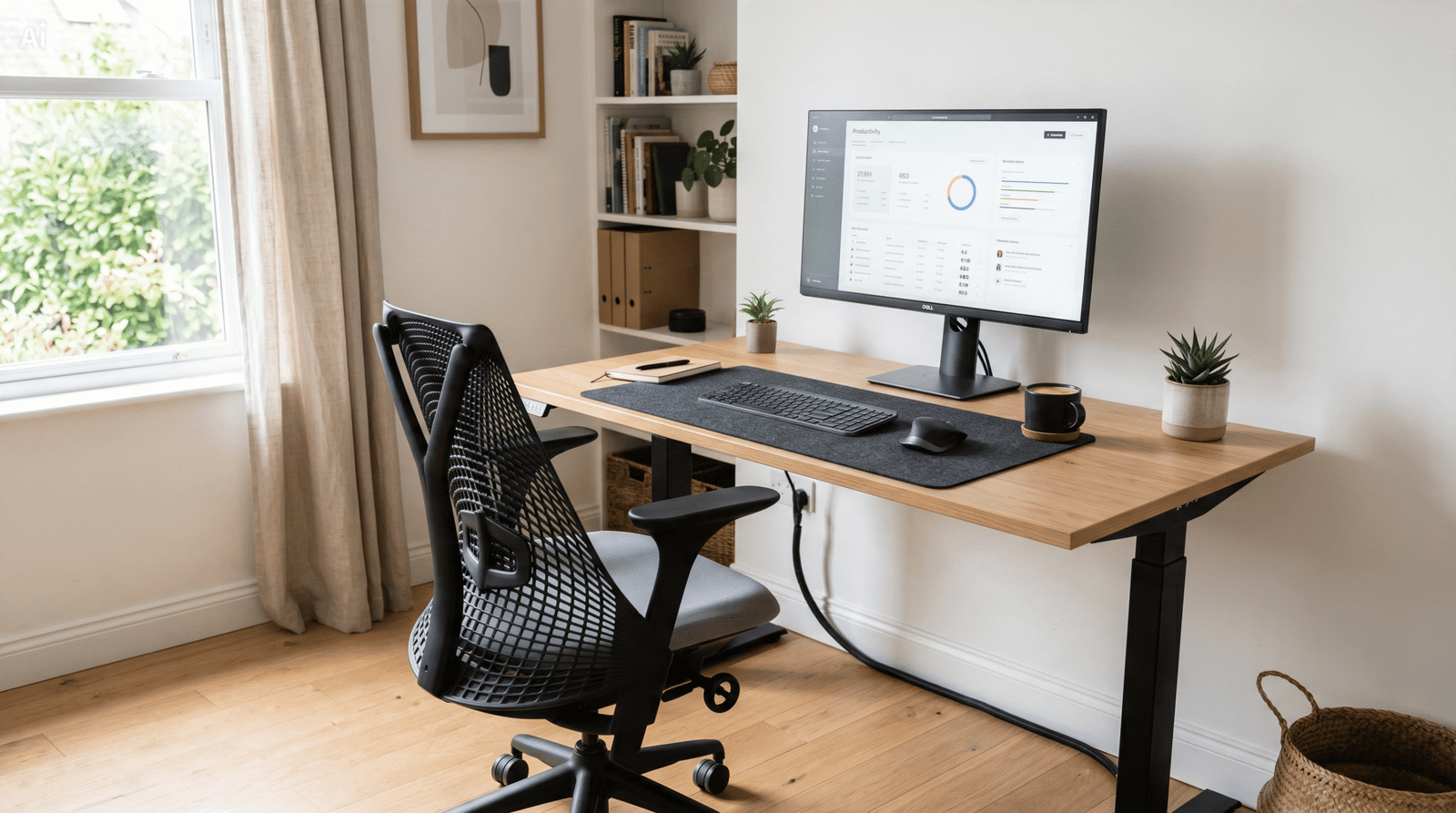
Building the best home office setup is less about spending the most money and more about choosing the right pieces of home office equipment that work together. A good desk paired with a poor chair leaves you sore by lunchtime; a great monitor connected to a webcam that washes you out still undermines your video calls. This hub pulls together everything we’ve tested across desks, seating, displays, cameras, and input devices so you can assemble a complete, comfortable, and productive workspace without guesswork.
Whether you’re outfitting a dedicated room or carving a corner out of a bedroom, the goal is the same: reduce fatigue, look professional on camera, and make long working hours feel sustainable. Below we break the workspace into five core categories, link to our in-depth guide for each, and finish with a buying framework, a quick-reference comparison, and answers to the questions readers ask most.
The Five Pillars of a Home Office Setup
Every productive work from home setup comes down to five categories. Get these right and the rest is personalization. Each links to our full, independently tested guide.
1. Standing Desks — Your Foundation
The desk anchors the entire room. Height-adjustable models let you alternate between sitting and standing, which eases back strain over a long day. Surface depth matters too: you need room for a monitor at arm’s length plus your keyboard and mouse. See our full breakdown in Best Standing Desks for Home Offices Under $300.
2. Ergonomic Office Chairs — Where You Spend the Most Time
If you only upgrade one thing, make it the chair. Lumbar support, adjustable armrests, and a seat that suits your height prevent the aches that derail focus. Our tested picks live in Best Ergonomic Office Chairs Under $200.
3. Monitors — The Productivity Multiplier
A larger or second screen is one of the cheapest ways to work faster. More screen real estate means fewer window swaps and less mental overhead. We rank value-first options in Best Budget Monitors for Home Office.
4. Webcams — Look Professional on Every Call
Built-in laptop cameras rarely flatter. A dedicated webcam with proper light handling makes meetings and interviews look sharp. Compare our favorites in Best Webcams for Video Calls Under $100.
5. Mechanical Keyboards — Type Faster, Type Comfortably
A responsive keyboard reduces typing fatigue and can genuinely speed up your work. We cover switches, layouts, and value in Best Mechanical Keyboards for Productivity Under $100.
Home Office Equipment at a Glance
This quick-reference table summarizes the role each category plays and roughly what to budget for solid, mid-range home office gear.
| Category | Primary Benefit | Typical Budget Range | Full Guide |
|---|---|---|---|
| Standing Desk | Posture variety, surface space | $150–$300 | Standing Desks |
| Ergonomic Chair | Back & posture support | $120–$200 | Office Chairs |
| Monitor | More screen, faster work | $120–$250 | Monitors |
| Webcam | Professional video calls | $50–$100 | Webcams |
| Mechanical Keyboard | Comfort & typing speed | $50–$100 | Keyboards |
How to Build Your Setup: A Buying Guide
Assembling home office essentials in the right order keeps spending sensible and avoids buying pieces that don’t fit together.
Start with comfort, then capability
Spend first on the chair and desk — the things your body contacts for eight hours. A poor seating position causes problems no monitor upgrade can fix. Once comfort is handled, invest in the productivity multipliers: a bigger or second monitor, then a keyboard that suits your typing style.
Measure your space before you buy
Note the width and depth available, and confirm a standing desk’s footprint and the chair’s clearance. A monitor that’s too large for your viewing distance causes neck strain rather than helping.
Plan your camera and lighting together
A good webcam handles imperfect light better than a built-in camera, but positioning it near a window or a simple lamp transforms results. Think of video presence as a small system, not a single purchase.
Match the keyboard to how you work
Heavy typists often prefer tactile switches; shared spaces favor quieter ones. Layout (full-size vs. compact) should reflect whether you rely on a number pad and how much desk space you can spare.
How We Evaluate Home Office Gear
Our recommendations across this hub follow a consistent, hands-on methodology so you can trust that picks are comparable from one category to the next.
- Real-world testing: We use each product through normal workdays rather than relying on spec sheets alone, noting comfort, build quality, and reliability over time.
- Value over hype: Every category guide prioritizes the best balance of price and performance, with clear budget tiers instead of defaulting to the most expensive option.
- Ergonomics and health: Because a home office is used daily for years, we weight long-term comfort and posture support heavily.
- Transparent trade-offs: We call out compromises — a quiet keyboard that sacrifices tactility, or a budget monitor with weaker color accuracy — so you can decide what matters for your work.
- Independence: Picks are based on testing and merit. Where we earn affiliate commissions, it never changes our rankings.
Frequently Asked Questions
What do I need for a complete home office setup?
At minimum: a supportive chair, a stable desk (ideally height-adjustable), a monitor sized for your space, a webcam for calls, and a comfortable keyboard. These five cover comfort, productivity, and professional video presence.
What’s the most important piece to invest in first?
The chair. You’re in contact with it all day, and poor seating causes back and posture issues that no other upgrade can offset. A desk that lets you stand periodically is a close second.
How much should a good home office setup cost?
A solid mid-range setup across all five categories typically lands between roughly $500 and $900. You can build a capable starter setup for less by prioritizing the chair and monitor first and adding the rest over time.
Do I really need a standing desk?
It’s not mandatory, but the ability to alternate between sitting and standing reduces fatigue over long days. If budget is tight, a quality fixed desk plus a great chair is a reasonable starting point.
Is a dedicated webcam worth it over my laptop camera?
For frequent video calls, yes. Dedicated webcams handle lighting and detail far better than most built-in cameras, which makes a noticeable difference in meetings and interviews.
Recommended Home Office Products
Ready to build your workspace? Check current prices for our recommended categories below: