Best Webcams for Video Calls Under $100 (2026)
📋 Affiliate Disclosure: DealOnes is reader-supported. This post contains affiliate links, and we may earn a commission if you buy or sign up through them — at no extra cost to you. We only recommend products and tools we believe are worth your money, and our opinions are our own.
🖥️ HOME OFFICE — Updated June 2026
To build this list we weighed the factors that actually affect day-to-day video calls: sharpness and autofocus reliability, low-light performance, built-in microphone quality, mounting flexibility, and plug-and-play compatibility with Zoom, Microsoft Teams, and Google Meet. We prioritized models that deliver consistent results in ordinary home-office lighting rather than chasing spec-sheet resolution numbers, and every pick below sits comfortably under $100.
To build this list we weighed the factors that actually affect day-to-day video calls: sharpness and autofocus reliability, low-light performance, built-in microphone quality, mounting flexibility, and plug-and-play compatibility with Zoom, Microsoft Teams, and Google Meet. We prioritized models that deliver consistent results in ordinary home-office lighting rather than chasing spec-sheet resolution numbers, and every pick below sits comfortably under $100.
The Best Webcams for Video Calls Under $100
For many laptops, the built-in webcam is the weakest link on video calls. A dedicated 1080p (or higher) webcam can noticeably improve how you look on Zoom, Teams, and Google Meet, with sharper image quality and better low-light handling. We compared widely recommended budget webcams on the factors that matter for remote work — resolution, low-light performance, field of view, and built-in audio. Confirm current prices and specs on the product page before buying.
| Webcam | Resolution | Best For |
|---|---|---|
| Logitech C920x | 1080p / 30fps | Best Overall |
| Anker PowerConf C200 | 2K | Best Value |
| Razer Kiyo X | 1080p / 60fps | Low-Light Rooms |
| NexiGo N960E | 1080p + ring light | Privacy & Lighting |
| Logitech Brio 100 | 1080p | Ultra-Affordable |
1. Logitech C920 / C920x — Best Overall
The Logitech C920 series is one of the most established 1080p webcams and a long-standing default recommendation for video calls. It offers reliable autofocus and consistent image quality, with broad software support.
✅ Pros
- Razor-sharp 1080p with reliable autofocus
- Dual mics handle voice well
- Plug-and-play on all major apps
❌ Cons
- No 4K option
- Basic clip mount
✅ Pros: Reliable autofocus and color; mature, well-supported software; widely available. ❌ Cons: Can struggle in very low light; 1080p/30fps rather than higher frame rates. Best for: Anyone wanting a proven, dependable choice.
🛒 Check current price and specs (replace with your affiliate link)
2. Anker PowerConf C200 — Best Value
Anker’s PowerConf C200 is a budget-friendly webcam that offers higher-than-1080p resolution and an adjustable field of view, along with a built-in privacy cover.
✅ Pros
- 2K resolution for the price
- Adjustable field of view
- Built-in privacy cover
❌ Cons
- Low-light noise
- Average mic
✅ Pros: Higher resolution option; adjustable field of view; privacy cover included. ❌ Cons: Software is less mature than Logitech’s. Best for: Value-focused buyers who want more resolution on a budget.
🛒 Check current price and specs (replace with your affiliate link)
3. Razer Kiyo X — Best for Lower-Light Rooms
The Razer Kiyo X is a 1080p webcam often recommended for its performance in less-than-ideal lighting and its straightforward plug-and-play setup, with frame-rate options depending on resolution.
✅ Pros
- Strong low-light performance
- Smooth 60fps at 1080p
- Flexible mounting
❌ Cons
- No built-in privacy shutter
- Larger than rivals
✅ Pros: Handles dimmer rooms well; easy setup; frame-rate options. ❌ Cons: Built-in mic is average. Best for: Home offices with imperfect lighting.
🛒 Check current price and specs (replace with your affiliate link)
4. NexiGo N960E — Best with Built-In Privacy & Light
The NexiGo N960E pairs sharp 1080p video with a built-in ring light and a physical privacy shutter, making it a strong all-rounder for anyone who takes a lot of calls in variable lighting. The dual noise-reducing mics are a cut above most webcams in this price bracket.
✅ Pros
- Built-in adjustable ring light
- Physical privacy shutter
- Good noise-reducing mics
❌ Cons
- Light is modest
- Software is basic
5. Logitech Brio 100 — Best Ultra-Affordable Pick
If you just need a dependable upgrade over a laptop camera without spending much, the Brio 100 delivers clean 1080p, a privacy shutter, and Logitech’s reliable plug-and-play experience at the lowest price in this guide.
✅ Pros
- Very affordable
- Privacy shutter included
- Rock-solid compatibility
❌ Cons
- Fixed focus
- No advanced features
💡 Webcam Buying Guide
- 1080p is usually enough: many platforms compress video, so a quality 1080p webcam often looks as good as higher resolutions on calls.
- Low-light handling matters: a clean image in a dim room is often more useful than a higher resolution that gets noisy.
- Autofocus and a privacy shutter are features you’ll appreciate day to day.
- Audio: built-in mics are fine for calls; consider a separate USB mic for recording or podcasting.
Complete Your Setup
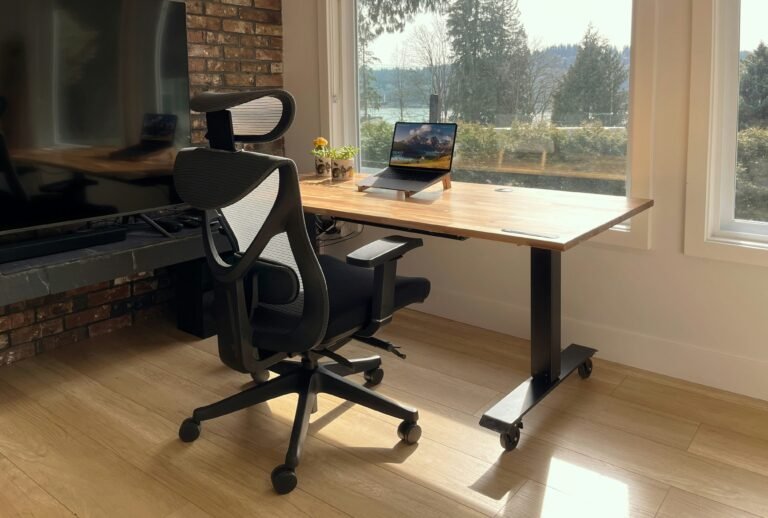
A good webcam pairs well with the rest of a comfortable workspace. See our guides to budget standing desks, ergonomic office chairs under $200, and budget home-office monitors, and the best mechanical keyboards under $100.
Frequently Asked Questions
Is a 4K webcam worth it for video calls?
For most calls, not really — video platforms typically compress the stream, so a good 1080p webcam usually looks comparable for far less money. Higher resolution is more useful for recording.
Do I need a separate microphone?
For everyday calls, built-in webcam mics are generally fine. If you record content or podcast, a dedicated USB microphone is a worthwhile upgrade.
Will these webcams work with Zoom, Teams, and Meet?
Standard USB webcams like these are widely compatible with major video platforms. Always check the product page for system requirements if you have an older device.
Which webcam is best for working from home on a budget?
For most home offices the Logitech C920x hits the sweet spot of price, sharpness, and reliability. If you want higher resolution choose the Anker C200, and for dim rooms the Razer Kiyo X is the safer pick.
Is 1080p enough for professional video calls?
Yes. Zoom, Teams, and Google Meet typically compress video well below 4K, so a quality 1080p webcam looks just as good on the other end while using less bandwidth.
🏆 Verdict
The Logitech C920 series is the dependable all-rounder, the Anker C200 is a strong value option, and the Razer Kiyo X is worth a look for dimmer rooms. Confirm current pricing and specs before buying.
About the author — Marcus Bennett. Marcus is the lead reviewer at DealOnes, where he researches and compares software, consumer tech, and home-office products to help readers spend smarter. He builds every guide by comparing the leading options side by side, reading through verified owner feedback, and prioritizing real-world value over spec sheets. Every guide is independently researched, regularly updated, and free of paid placements. Last reviewed: June 2026.
Part of our complete home office setup guide — see how this fits alongside the other essentials for a productive work-from-home workspace.